For Parents Who Treasure Every Creation
Their art won't stay on the fridge forever.
Capture, organize, and preserve your child's artwork — privately, beautifully, and without the clutter.
Free · Sign in with Apple or Google · iOS 17+
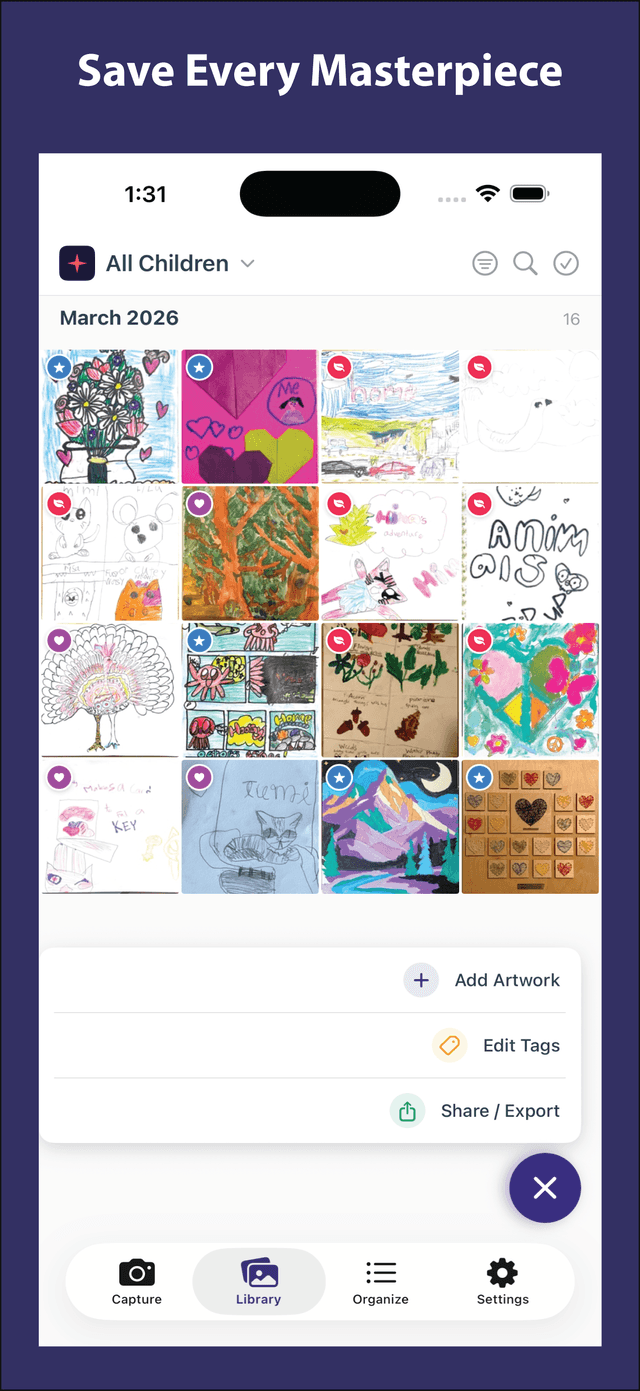
Capture artwork your way
Scan flat art
Drawings, paintings, worksheets, and paper crafts
Capture 3D creations
Clay models, LEGO builds, and sculptures from every angle
Import from Photos
Bring in artwork you already photographed
The artwork piles up. The guilt does too.
Every scribble matters — but the piles grow fast. Shoeboxes overflow, photos disappear into your camera roll, and throwing anything away feels impossible. Kwomi helps you keep the memory without keeping the clutter.
Made for the Memories Worth Saving
Made for the art you actually want to keep
Scan flat art. Capture 3D creations.
Use the built-in document scanner for drawings and paintings — it auto-corrects perspective and lighting. For sculptures and clay art, the 360° spin capture takes photos from every angle so you can relive the creation in full.
- Smart 2D document scanner with auto-crop
- 360° multi-angle capture for 3D art
- Bulk import from your photo library
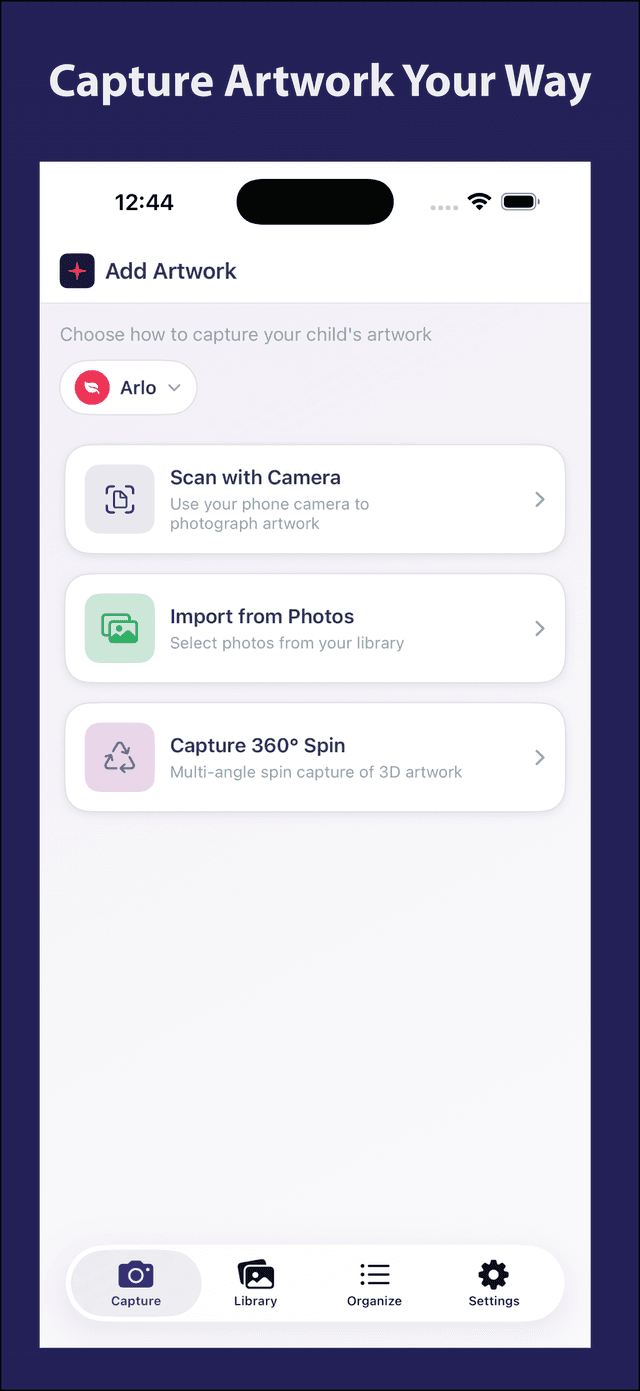
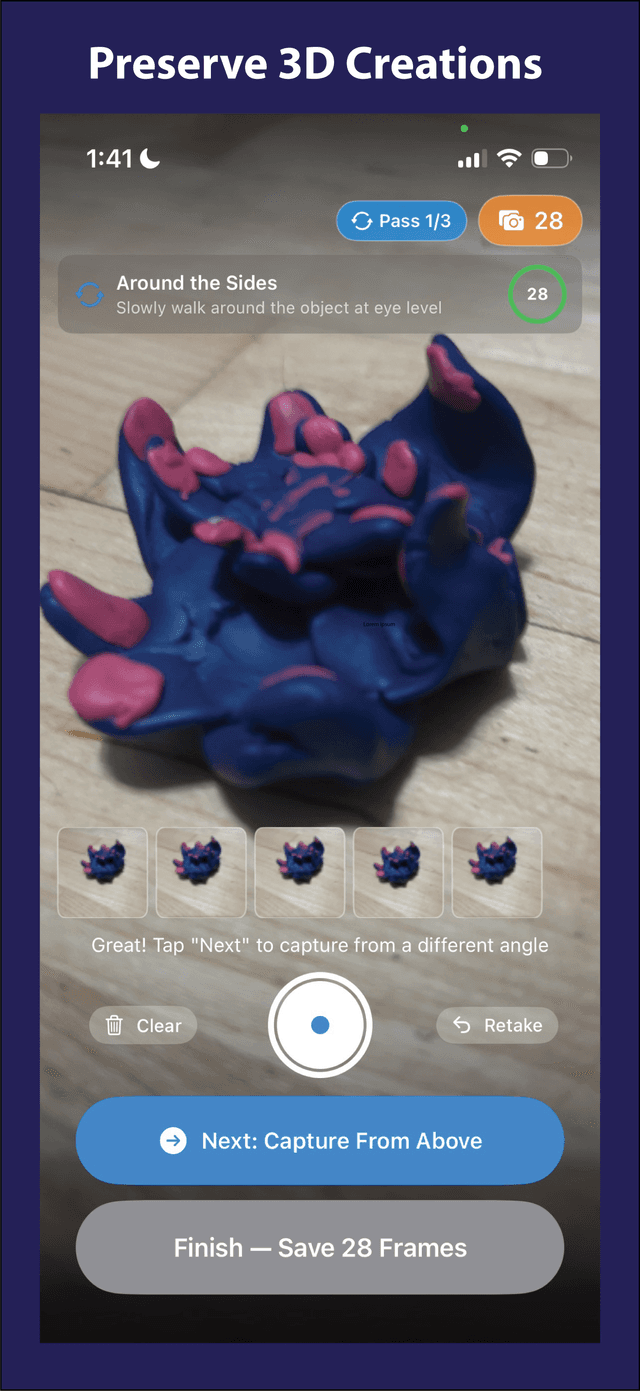
Clay dinosaurs deserve to be remembered too.
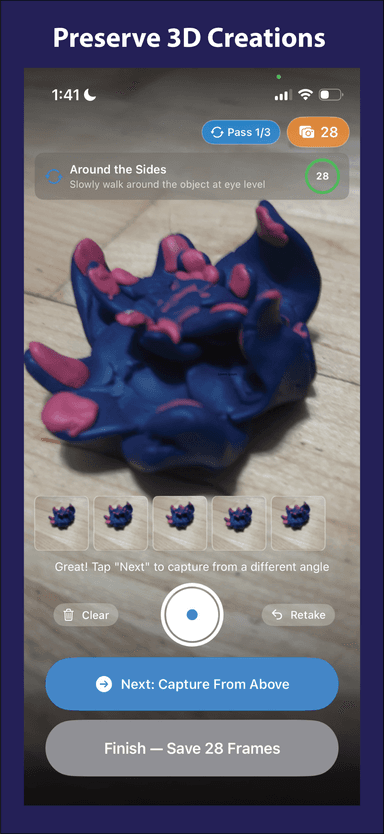
Walk around the sculpture, and Kwomi guides you through capturing it from every angle. The result? A swipeable 360° spin view that brings the art to life — even years later.
- Guided multi-pass capture (sides, top, close-up)
- Interactive spin viewer with drag-to-rotate
- Up to 90 frames per sculpture
One app for every child. Every masterpiece.
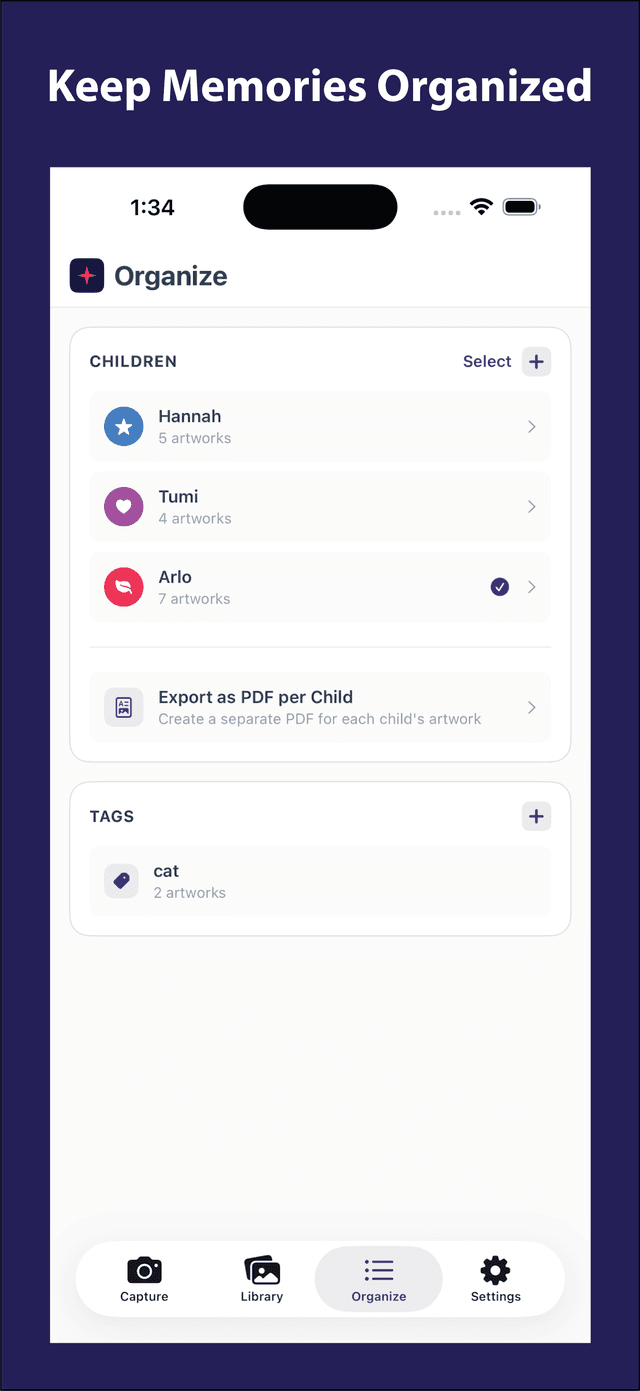
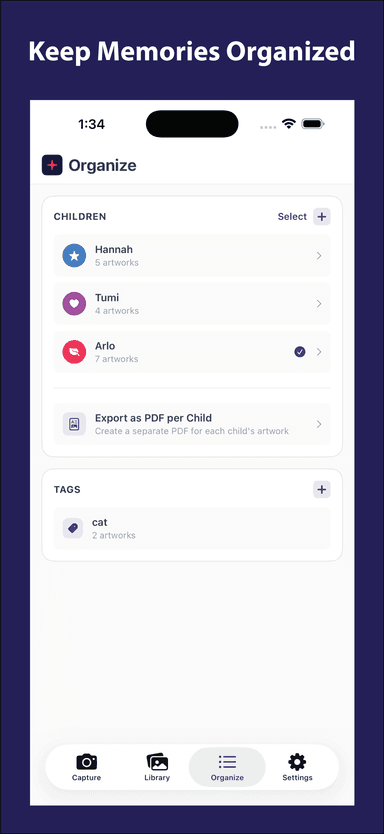
Create profiles for each child with their own color and avatar. Filter, search, and tag artwork. Export a beautiful PDF portfolio per child — perfect for grandparents, teachers, or just for you.
- Separate profiles per child
- Tags, search, and date filters
- Export as PDF — one per child
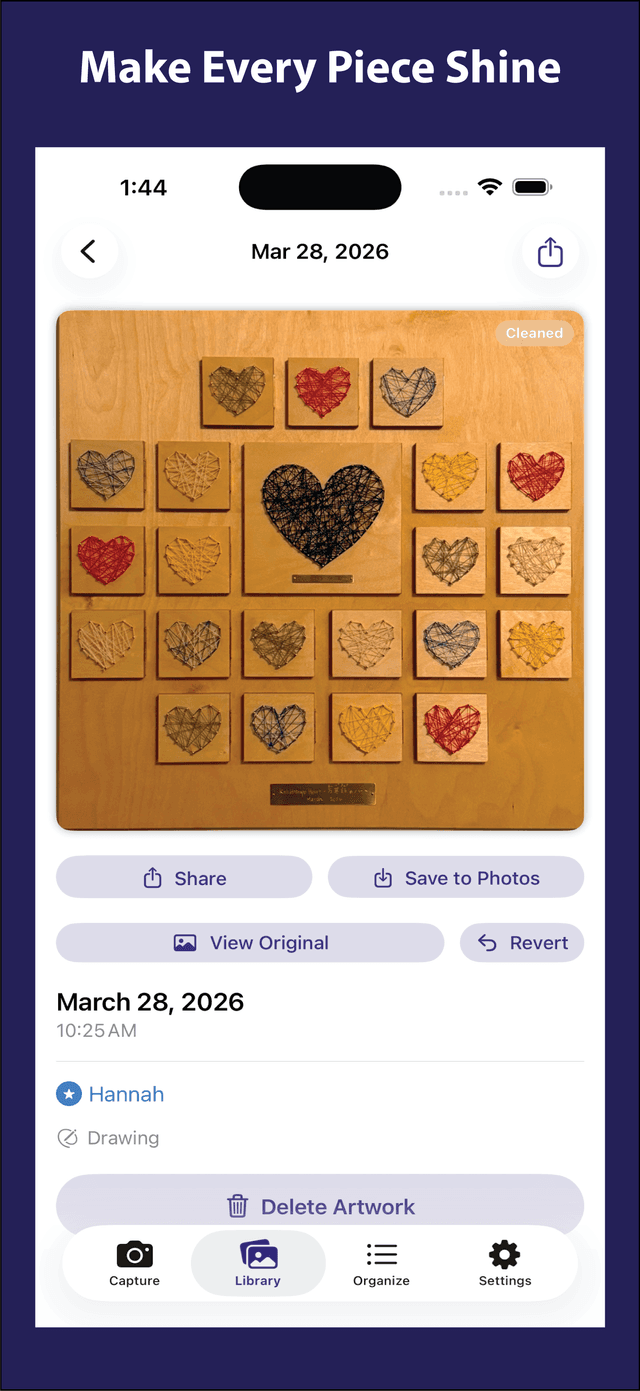
Make every piece shine.
Each artwork gets its own detail page with the date, child attribution, and type. Save high-quality originals, view the cleaned-up version alongside the original, and revisit every piece beautifully.
- High-quality JPEG originals saved on your device
- See the cleaned-up scan alongside the original
- Automatic image enhancement with one-tap revert
Simple As 1-2-3
From kitchen counter to keepsake in seconds
Capture or Import
Scan drawings, snap a 360° spin of sculptures, or pull in photos you already have.
Organize by Child
Assign to a child, add tags, and Kwomi sorts everything by date automatically.
Share & Treasure
Share with grandparents, export a PDF portfolio, or just scroll through whenever you need a smile.
Private, Simple, and Made for Families
Why parents trust Kwomi
Private by Default
No ads, no tracking, no social features. Your family's memories stay yours.
Sign in with Apple or Google
Quick, secure sign-in. No separate Kwomi password to remember — your provider handles authentication.
Backed Up, Metadata Stripped
Artwork is backed up to Kwomi, so losing your phone doesn't lose your library. Every photo's embedded metadata — GPS included — is removed before it is stored.
No Ads or Tracking
No advertising, no third-party analytics SDKs, no behavioral profiling — and your artwork is never used to train AI models.
Multi-Child Ready
Separate profiles with unique avatars and colors. Filter by child or view everyone together.
Fast & Lightweight
No bloat. Open the app and start capturing in seconds.
Why Not Just Use Your Camera Roll?
Your Photos app wasn't built for this
Your camera roll wasn't made for kid art
Artwork gets buried between screenshots, receipts, and random photos — and stays buried.
Kwomi gives every piece a home
Sort by child, date, tags, and type — without digging. Every piece is exactly where you expect it.
It's easier to keep what matters
Clean scans, private storage, and beautiful sharing make memories worth saving — and easier to let the original go.
A closer look at Kwomi
A beautiful, intuitive experience designed for busy parents
Questions parents ask
Is Kwomi really free?
Yes. Kwomi is free and every feature is available to every account — unlimited saves, PDF export, image enhancement and sharing included. There is no subscription and nothing to buy in the app.
Do I need to create an account?
Yes — you sign in with Apple or with Google, and there's no separate Kwomi email or password. The provider shares your name and email address (with Apple, a private relay address if you prefer) so we can identify your account.
What about my privacy?
Your artwork is stored on Kwomi's own service so it survives a lost phone, and it is visible only to you and to anyone you choose to share an album with. We don't sell your information, run advertising, or use your artwork to train AI models, and the app contains no third-party analytics or tracking SDKs. Before a photo is stored we strip its embedded metadata, GPS coordinates included. Our Privacy Policy lists everything we hold and how long we keep it.
Can I use it for multiple children?
Absolutely! Create separate profiles for each child with their own name, avatar, and color. Filter artwork by child or view everyone's art together.
What's the 360° capture?
It's our unique feature for 3D art like sculptures, clay models, and crafts. Kwomi guides you to take photos from multiple angles, then lets you swipe through them like spinning the object in your hands.
Can I share artwork with family?
Yes! Share individual pieces via Messages, email, or any app. You can also export a complete PDF portfolio per child — perfect for grandparents or end-of-year keepsakes.

Start saving the artwork you'll want back someday.
Drawings fade, projects get recycled, and sculptures eventually fall apart. Kwomi helps you keep the memory — without keeping the mess.

Free · Sign in with Apple or Google · iOS 17+
Kwomi is a product of True Top LLC. True Top LLC is the legal entity that owns and operates Kwomi.